
The operating system for AI-native biotech
Give your team the AI capabilities that large pharma companies build internally
Try a few of our tools free, or ask for a trial instance with your own data.
Why customers in Europe, North America and Australia have chosen Bionamic
- AI capabilities without building them
- Personal assistants and channel agents work on the team’s own data with real scientific tools, without an in-house AI team.
- Control over data and AI
- Customers choose where Bionamic is hosted, which AI models it may use, and where they run, with their own model account and spending limits where they want them.
- Made for antibodies and biologics
- Developability profiling, structure prediction, NGS analysis and bispecific formats are built-in tools.
- Fits into existing systems
- Bionamic registers records in existing registries and ELNs, and new tools and workflows are added in collaboration with each customer.
- Results you can check
- Agents run real scientific tools, and every step is recorded: tool calls, jobs, inputs and outputs. Saved files keep their versions, so you can see and undo what an agent changed.
- Scientists on the other side
- Onboarding, training and bioinformatics support come from a team that knows the science.
Your scientists run the analyses themselves
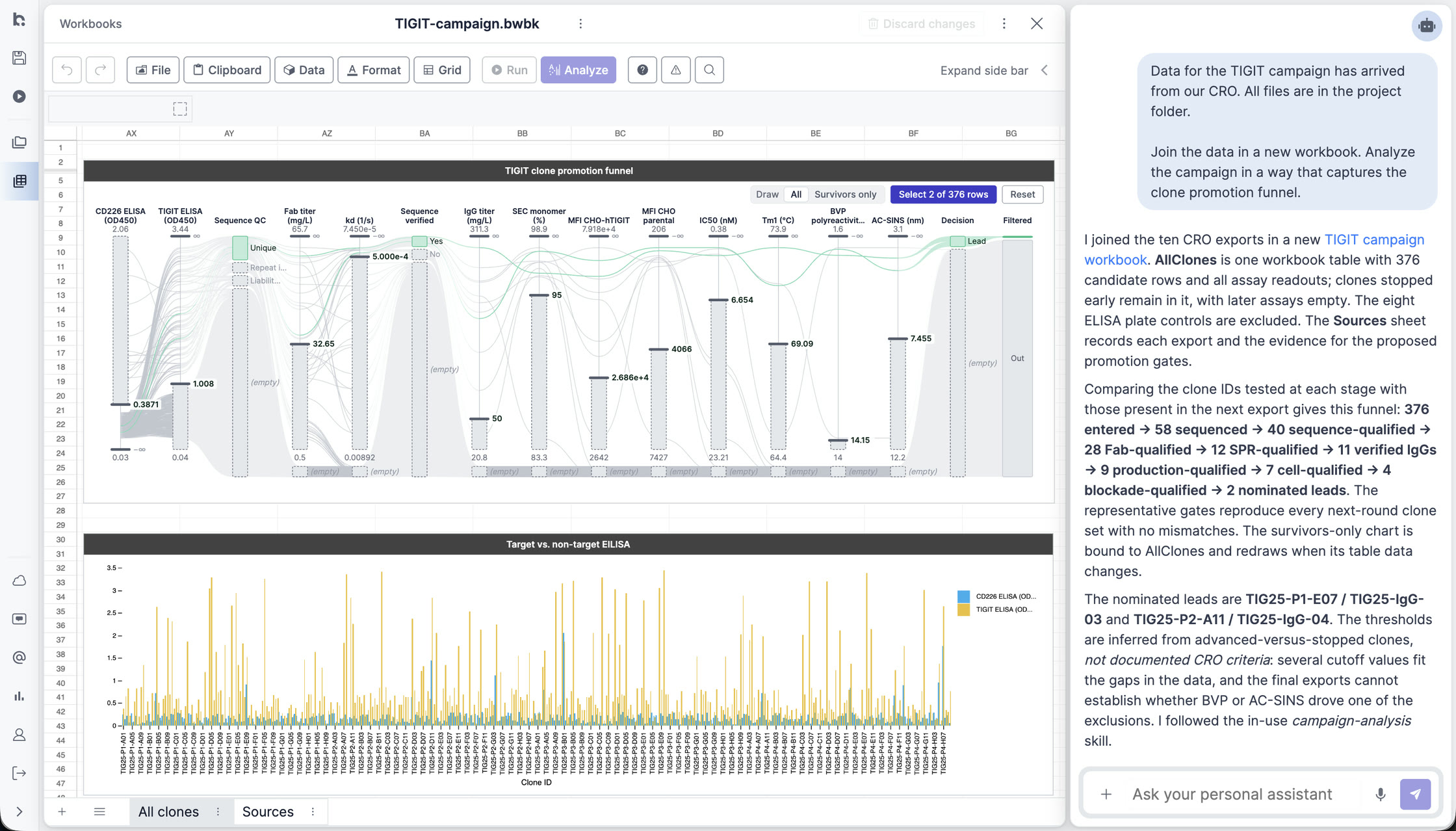
In many biotech teams, data is spread across Excel sheets, FASTA files and instrument exports, and scientists wait for a bioinformatician to analyze it. In Bionamic they analyze VH and VL sequences, design antibodies and bispecifics, explore structures, and assess developability themselves, with an AI agent and the right tools. Explore use cases.
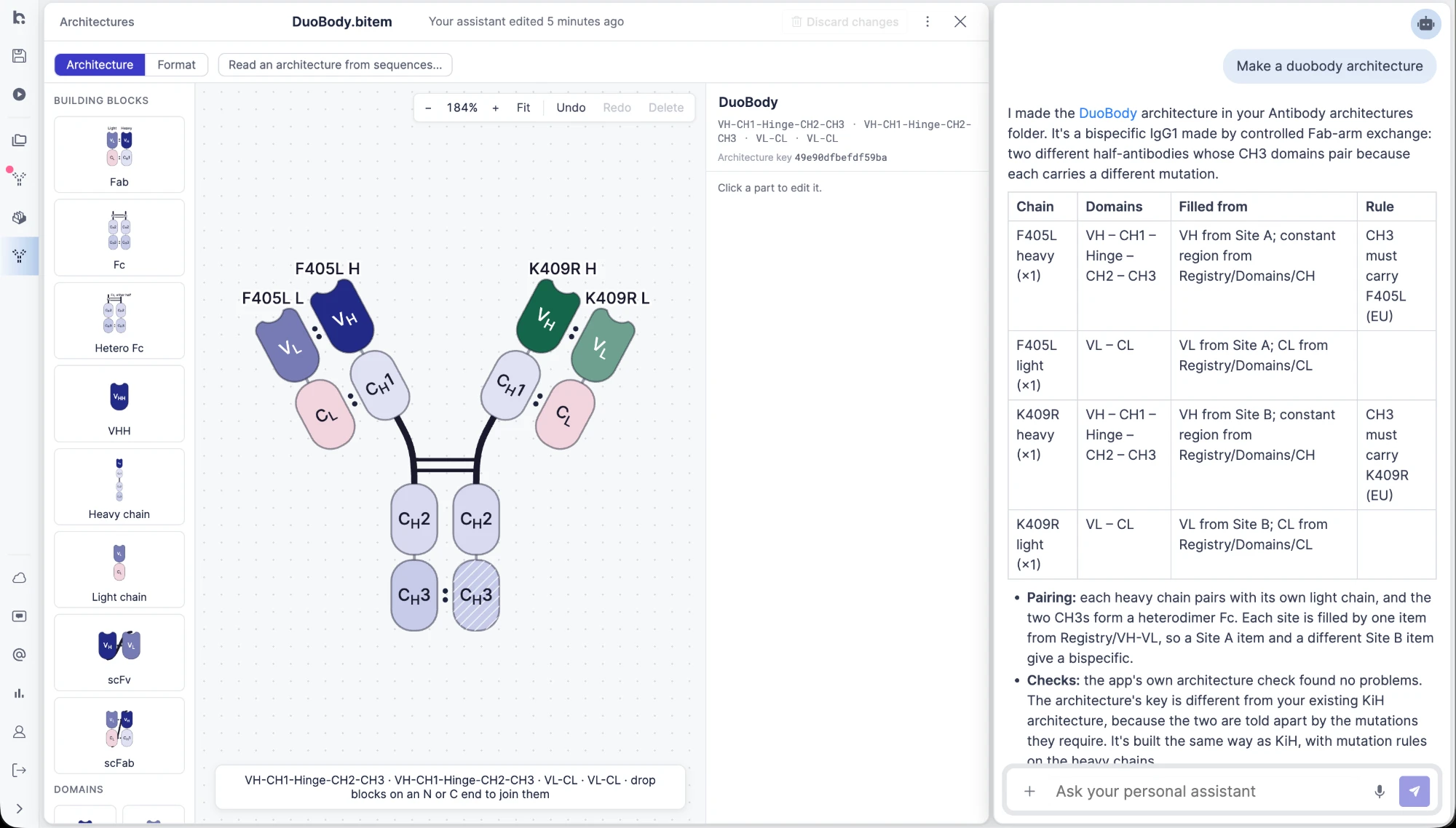
Design bispecifics and other antibody formats
A format is built from named parts, such as Fab, Fc, hetero-Fc, VHH and scFv, into an architecture that records how the chains pair, which binding site each arm carries, and what each chain must contain. Ask for a DuoBody and the assistant drafts one, down to the CH3 mutations that make the two half-antibodies pair. Molecules are then built from registered sequences against that architecture. See how molecules are built and registered.
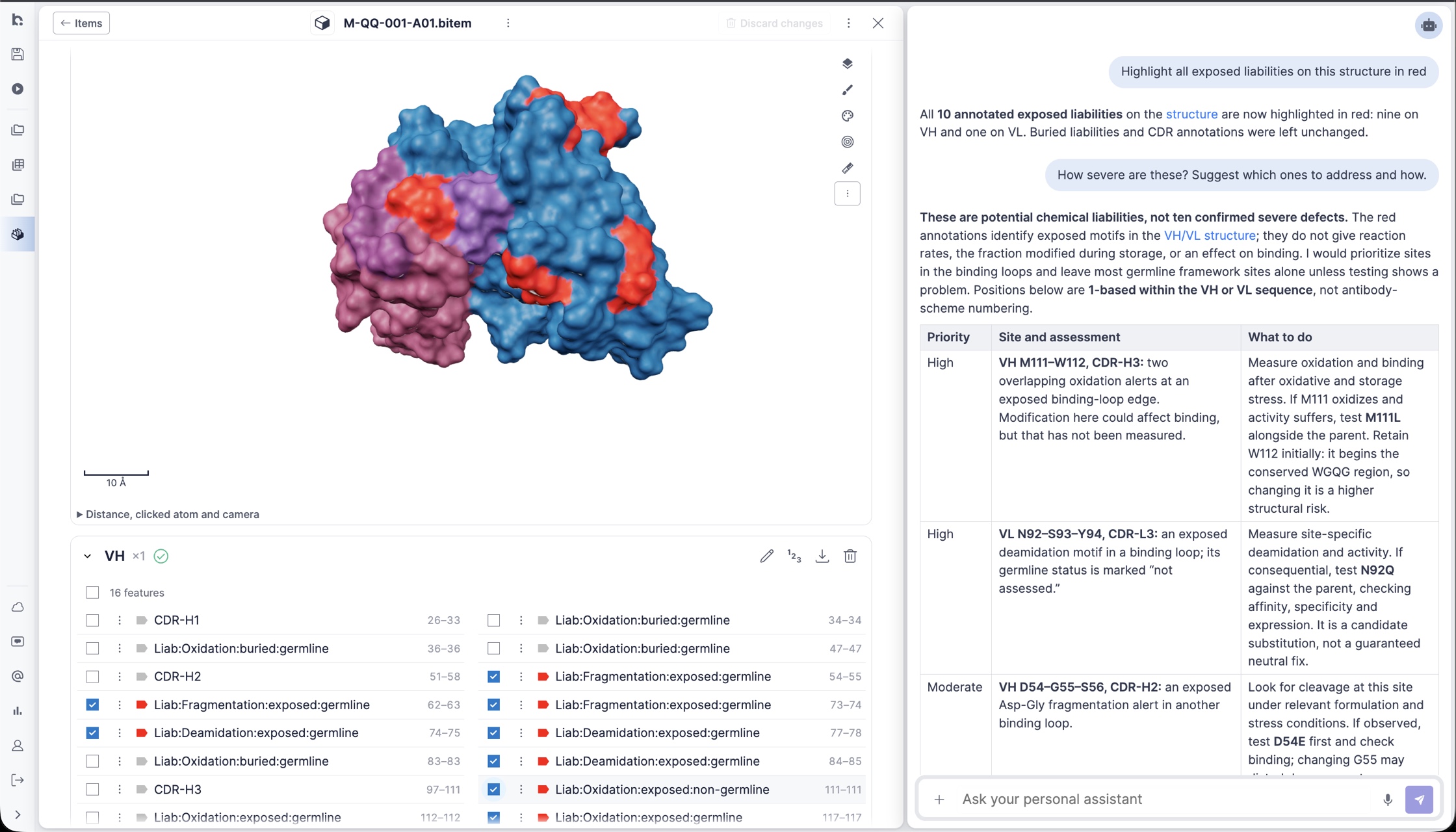
Assess developability across a set of leads
Profiling runs over a whole table of candidates: aggregation, viscosity, sequence liabilities, immunogenicity and humanness, all measured against clinical-stage antibodies. The results land in a workbook beside the sequences they came from, where they can be sorted, charted and shared. Read the developability use case.
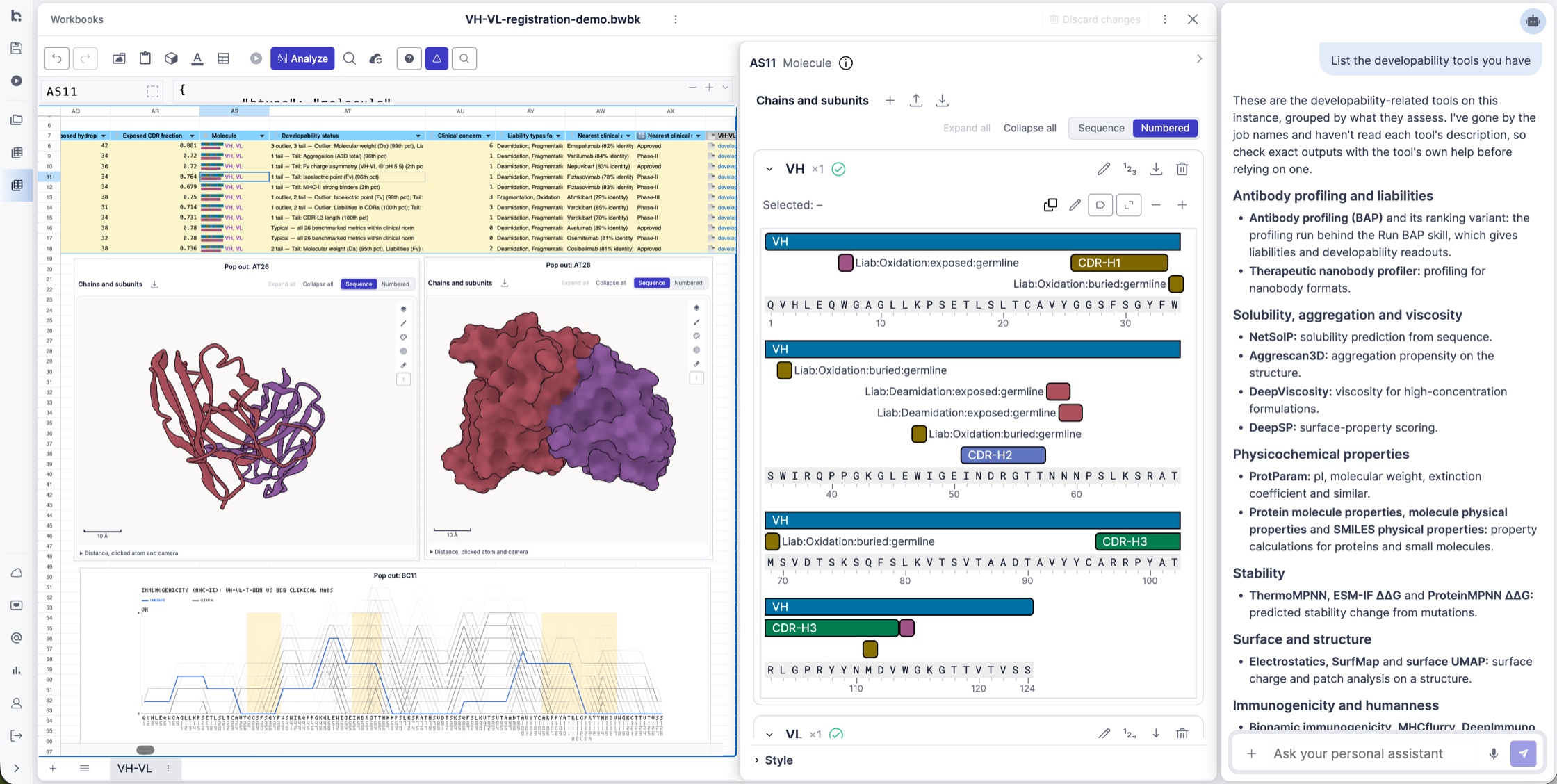
A shared workspace for researchers and AI agents
Share files, analyze data in workbooks, and use scientific tools with personal AI assistants and channel AI agents, all in your browser. Explore the product.
Control where your data and AI models run
Data security is critical in biotech. We work with you to configure hosting, AI inference, and data retention to meet your organization’s requirements. Read our architecture page.
Try Bionamic
Try a small sample of Bionamic’s antibody tools on your own sequences, free and without an account, on our Try page. To try the whole platform, contact us to set up a trial instance with your users and data.